

Tags: Slack, Ways of Working Pillar: remote Startup Tips Tools Tricks
Summary#
- I avoid direct messages. Instead, I use channels wherever it’s possible.
- I use Slack asynchronously. I put everything in one message and hit enter once I’m done (and give as much context as needed/possible). I’ve turned off all notifications, but I respond to all posts in my main channels and where I’m mentioned within 4 working hours.
- I never use
@hereand@channel— instead, I try to mention as few people as possible. - I always reply in a thread. Only by this can I use the thread view to follow up on all of my current talks/discussions.
Active (writing)#
I always use a (public) channel. I try to avoid hidden communication via direct messages.
Imagine you’re in a physical office. But you never see people talking to each other. You never hear how they talk to each other. Wouldn’t this be odd? But this is exactly what our team’s communication currently looks like: too much is happening in private chats!
Distributed teams need to communicate very transparently in Slack to stay healthy because this is our most common way of communication.I use Slack asynchronously.
I put everything in one message and don’t hit enter like in a chat. I don’t use Slack like a chat and don’t expect other people to do it this way.
I try to give as much context as possible.
I try to be aware of the fact that people will spend more time reading my message than I’ve spent writing it.
@mentioning with care.
There are only a few dedicated channels where
@channelmight make sense (they mostly have a closed group of members). I try to ping as few people as possible keeping in mind that every ping/mention costs time and will disrupt other people’s work.I try to include in my message what kind of reaction I’d like to get.
A leading emoji can be so helpful. For example, I use the ℹ️ if a message is for information only. If I’d like people to do something, a message can start with a ✅. People should react with the given emoji so that the writer knows that they have a) received the information and b) acted like wanted.
Use the most explizit emojis
When writing messages, we should always keep in mind that most likely, more time is spent reading the message (by different people) than we spend writing it. So we should strive to be as clear as possible and give as much context as possible (did you know that you can put a hyperlink after a word simply by highlighting the word and then inserting the hyperlink using CMD+V?). However, this doesn’t just apply to speech but also to the use of emojis. Emojis can be very helpful in adding additional information to a text, such as emotions. What we should avoid at all costs is substituting emojis. This turns a text into a riddle rather than helping to understand.
Also, we should always consider whether an emoji is really easy to understand and unambiguous. If available, short words from English should be used instead of using a corresponding character/hand gesture. Unfortunately, signs/gestures have different meanings in different cultures. So instead of an 👍 rather use a
+1if you want to agree to content or if you want to show that you have read or taken note of something rather use theACK. Instead of 🙏, you can also useTHANKSto saying thank you. Or not use👌 butNICEOf course, casual talks on social channels are something different. In the social area, of course, you can be a little freer with emojis.
Passive (reading)#
Notifications#
I’ve turned all notifications off
To be able to focus on my work I’ve turned all notifications off. I don’t turn off those numbers indicating how many unread mentions there are. But I decide when to read them.
Slack is asynchronous communication
When I’m doing a break, I will check all mentions and threads (talks that I’m in).
Why? If we’d expect everyone to react to Slack messages immediately, we wouldn’t find time to focus on our actual work at all. There might be some roles that require an immediate response. In that case, I’d suggest finding a solution other than Slack.
I try to respond to all messages where I’m mentioned within 4 working hours
The same goes for all of my team or project channels (not more than 4): I try to read all messages within 4 working hours.
When I’m not able to respond within 4 working hours I change my Slack Display name accordingly. By this I try to set expectations.
I’ve muted
@here/@channelfor many channelsAs stated earlier,
@here/@channeldoesn’t make sense in channels with many people. They create a lot of noise and I try to avoid using this command. In channels like#generalor#competitionI’ve muted notifications for this. You can find those setting in the channel’s notification settings.I’m joining any channel of interest, and I don’t leave a channel
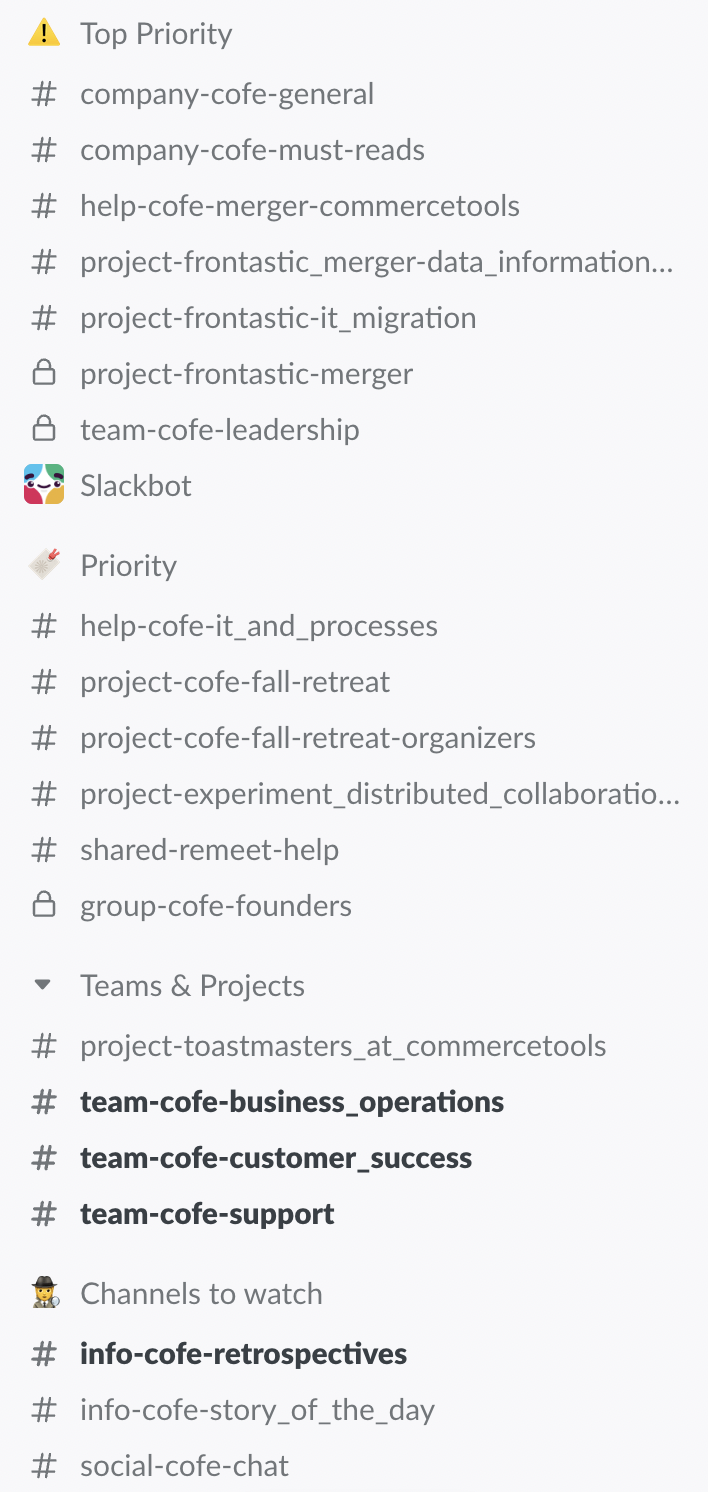
But my sidebar is ordered in sections. So there’s a section of those must-read channels. There’s a section for top priority and for team/project channels. And then there are channels to watch (like coffee chats and so on). And there’s the rest. I don’t look into those other channels actively (see right).
When I take a coffee somedays, I’ve some newspaper-style reading
From time to time I take a coffee and use the unreads view to look at what’s happening in other channels. It’s like reading a newspaper. You just skim it quickly and it might happen that something attracts your attention (see right).
I use the thread view to stay on top of my current discussions
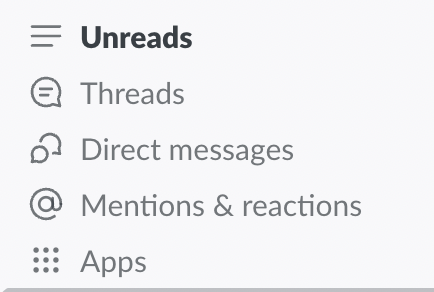
One of the most important views is the thread view. I need to rely on this to stay on top of the various discussions I’m in. That’s why it’s so important that every talk is happening in a thread — even though it’s a direct message (see right).
“read later” saves my life.
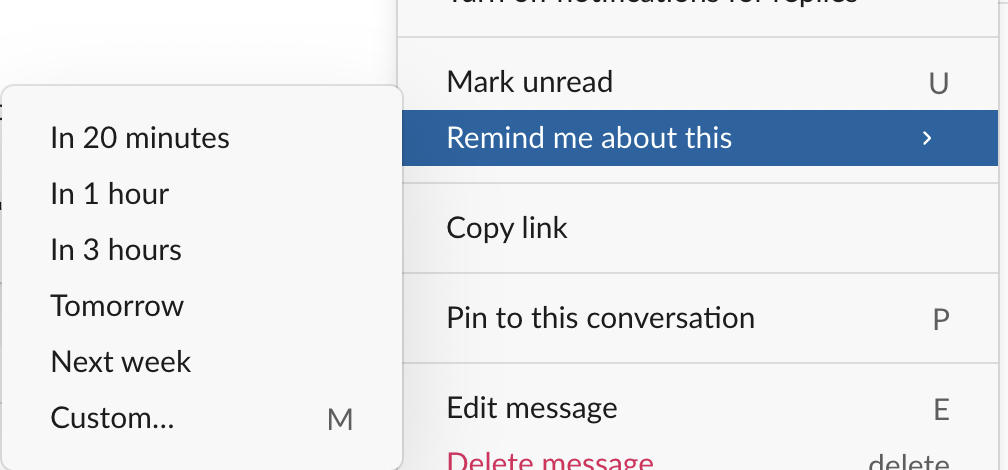
I’ve no idea how to survive without this “remind me about this” function provided by Slack in the context menu of every message/thread. It happens very often that I need to remind myself either to respond to a thread at a later time or that I need to watch a message to check the reactions/answers to my post. Part of my daily routine is to open the Slackbot app and to type
/remind list. This command will show all of your reminders.
Structured channels
Unreads, Threads, and Mentions
Remind me later
Basic structure#
Channels#
Channels should have a common/consistent naming
A common channel naming structure helps to put the channels in a sensible order (see above)
Furthermore, it helps to group channels in a sensible way. And finally, it helps people to find a channel (as all channel names follow the same rule). We always have to keep in mind that we’re a fast growing company. More than 50% of our people are new. The easier it is to understand a system the better.
The channels name should help understand the purpose
For example if there is a
must-readappendix to a teams’ channel, this indicates to the team that they must read all messages. A fixed set of appendixes it makes it even easier.The channel name should be clear and easy to understand
Try to avoid abbreviations. Use the given naming structure. Be precise.
When would I create or archive a channel?
Whenever there’s no parent channel, or it becomes too crowded, a new channel should be created. A channel should be archived as soon as the project or topic is done. Archiving means that it will still be found in the search when you search for topics. Also, if nothing is posted to a channel for more than 3 months, the channel should be archived.
Groups#
Why to us groups and not
@hereor@channel?Groups a perfect to address teams or other groups of people. You should never use
@hereor@channelin a channel with many people (like #competition). It can be used in channels with a small number of members united by a common goal.Groups should follow a naming structure, too.
The purpose of a groups should be clear. A prefix should indicate if it’s an organizational group (like a team) or an informational group.
Slack vs. email#
- Internally, I don’t write any emails.
- Some people say they like to use email because they can archive decisions or similar. I think this is wrong. Those things go into a central decision database. It’s nothing that belongs to one person (to maybe prove something for later), but it should be kept in a neutral public space like a wiki.
- Some say they like to use email because it’s better to quote what others said when replying. I think it’s the wrong tool. If a topic is complex, it shouldn’t be in an email but in a wiki or Google doc. That’s the right tool to collaborate. It offers versioning, inline comments, and much more.
- Slack could be the better choice for communication with partners and customers. But we should be very careful with this. The purpose should be clear and we need to set expectations (response times, reliability, …). Often systems like Freshdesk offer better traceability, and they ensure that every request gets answered.
Why (or when) to neither use personal email nor Slack#
- Whenever the major use case is about keeping track of something, it’s a bad idea to use Slack or private email.
- I recommend using a tool like Freshdesk or Help Scout for all kinds of group inboxes for two reasons:
- Accountability: it’s 100% clear who’s responsible for answering which message. You can have workflows to remind you when some message is waiting to be answered too long or for even more sophisticated tasks (automation, automation, automation). You won’t drop a single message.
- Transparency: it’s 100% transparent. Team members can learn from each other. And when they get sick or are on vacation, others can take over instantly.
Conclusion#
Initially, I wrote this document to record for myself what I think is right. It then grew more and more and became rules for my company. It resonated so well there that I felt it was time to share it publicly.